
ABCmouse: Kids Learning Games
Age of Learning, Inc.Education
4.51.26K Reviews
- Version
- 1.73.0
- Installs
- 5.00M
- Age Rating
- Everyone
Screenshots
Our Review of ABCmouse: Kids Learning Games
 Analysis by Appyee
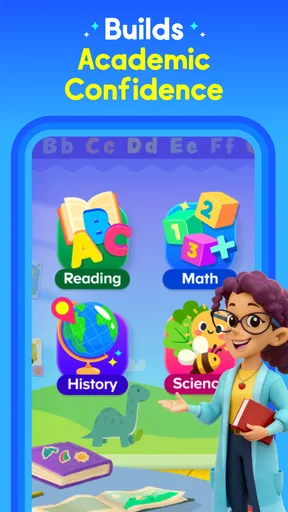
I find ABCmouse 2: Kids Learning Game most useful as a flexible place for a young child to explore early learning, rather than as a replacement for a parent, teacher, or structured lesson plan. It brings reading, math, science, art, music, and other activities together, so a child can move between different kinds of tasks without needing a separate app for each subject. That breadth is appealing, but it also means parents should help children choose activities instead of assuming that every minute of screen time will follow a clear curriculum.
How the app fits into a child’s routine
In a typical day, I can imagine opening it during a short stretch when an adult needs to prepare dinner or finish a small task. I would set a simple goal first, such as choosing a reading activity and then a math game, rather than handing over the device with no direction. That small bit of framing can make a large library feel manageable and gives the child a natural stopping point. It also helps avoid the common problem of bouncing between activities without engaging with any of them for long.
The app is aimed at children, but the best experience still involves an adult nearby, especially at first. Younger users may need help understanding what an activity asks them to do, while older children may benefit from a quick conversation afterward about a story, a number problem, or something they explored. I see it as a useful supplement for practice and curiosity, not an automatic measure of what a child has mastered.
What the current release tells me
The current version is 1.52.0, and the app was released on February 14, 2025. Those details establish a clear current reference point, but they do not by themselves show which individual activities or tools changed between versions. I would avoid treating a version number as proof of a particular new feature. What matters in practice is whether the app continues to feel usable on your device and whether its activities suit your child’s age and interests.
Age of Learning, Inc. is the developer, and the education app has a 4.6 average from around 13,000 ratings, with more than 1 million installs. That level of use suggests many families have tried it, though ratings cannot tell me whether it will suit one particular child. It is free to install, rated for Everyone, and includes in-app purchases ranging from $3.99 to $104.99 per item. I would check the purchase details before letting a child browse independently, and use the device’s purchase controls if you want to prevent accidental spending.
Choosing activities without turning play into a lesson
With a broad selection, a little planning makes a difference. If your child is drawn to stories, start there and let that interest lead into a related activity, rather than insisting on a fixed sequence every time. If they are restless, a short hands-on task away from the screen may work better than trying to persuade them to keep tapping through another lesson. The app is at its strongest when it supports a child’s curiosity, not when it is used to fill every quiet moment.
One practical approach is to keep the device in a shared space and agree on a stopping point before play begins. You might pick one activity together, then let the child choose the next from a small set of options. This makes independent exploration feel real while keeping the experience from becoming an endless search through a large catalog. It also gives you a chance to notice whether the child is actually enjoying an activity or simply following animations to see what happens.
The different subjects can also help families with mixed interests. A child who tires of letter practice may happily try music or art, while a child who loves patterns may gravitate toward puzzles or number activities. That variety is useful, but it can make it harder to tell whether a child is getting enough repetition in one area. If your goal is focused practice—such as working steadily on a specific reading skill—a dedicated learning resource or a teacher’s recommended activity may be a better fit.
How it compares with simpler learning apps
Compared with a single-purpose alphabet or math app, this one offers more variety in one place. That can save families from switching between several apps and gives a child more ways to stay interested. The trade-off is that a broad collection may not provide the same depth or narrow focus as a specialist tool. If your child needs concentrated help with one skill, I would choose an app built specifically around that need or work with the guidance of a teacher, then use this one for lighter exploration.
It also differs from a passive video library. Interactive activities invite children to respond rather than only watch, which can make a short session feel more involved. Still, interaction is not the same as learning automatically: an activity can hold a child’s attention without answering whether they understand the underlying idea. I would occasionally ask what they liked or learned, and look for chances to connect an on-screen idea to something in daily life.
Where parents may need to step in
A large collection can be exciting, but it can also be overwhelming for a child who prefers predictable routines. If your child repeatedly wanders from one activity to another, try choosing a small number together before opening the app. If even that feels frustrating, a simpler app with one clear task at a time may be a better choice. The right amount of choice depends on the child; more options are not always more helpful.
I would also keep expectations realistic around progress tracking. Seeing milestones can help a parent notice engagement and areas worth revisiting, but it should not be treated as a complete assessment of a child’s ability. A child may understand an idea but lose interest in the format, or enjoy an activity without being ready to apply the skill elsewhere. Use what you observe as a prompt for conversation and practice, not as a verdict.
The free download makes it possible to start without paying upfront, but the presence of in-app purchases means it is sensible to review the available options before making the app part of a regular routine. Families should consider the purchase terms that appear on their own device and decide whether the cost makes sense for how often the child will use it. If you are looking for a completely cost-free experience with no purchase decisions, that may be an important reason to choose another resource.
Who is likely to enjoy it
I would recommend trying it for families who want one child-friendly place to sample several learning subjects, especially when the child likes colorful, interactive activities and benefits from variety. It may also suit caregivers who want occasional educational screen time but do not want to assemble a collection of separate apps. Because the age rating is Everyone, it is broadly presented for general audiences, but parents should still decide whether the material and interaction style match their individual child.
It is less suited to families who want a tightly controlled sequence, a specialist tool for a particular learning difficulty, or a substitute for adult teaching. It may also be a poor match for a child who becomes overstimulated by colorful digital activities or has trouble stopping once a screen session begins. In those cases, a paper activity, shared reading, or a more focused learning app could be the more comfortable choice.
Learning Made Fun
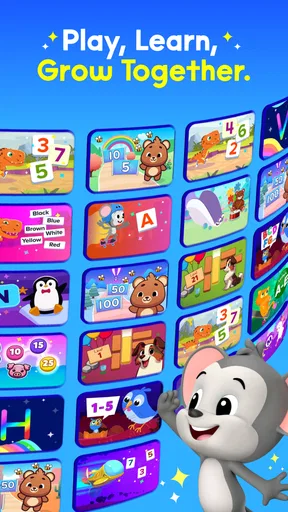
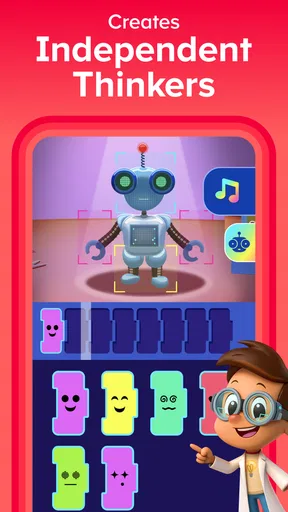
ABCmouse 2: Kids Learning Game is designed with kids in mind. The app is packed with colorful animations, engaging characters, and a variety of interactive games that make learning feel like playtime. Whether your child is into math, reading, or science, there's something here to capture their interest.
Variety of Activities
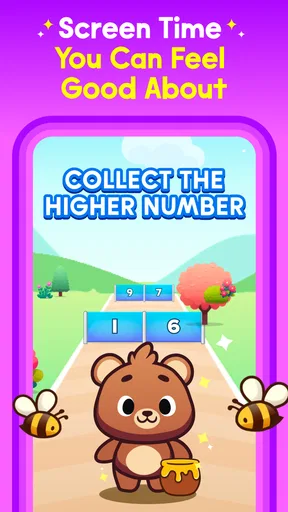
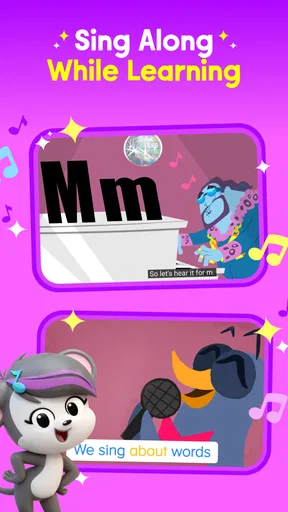
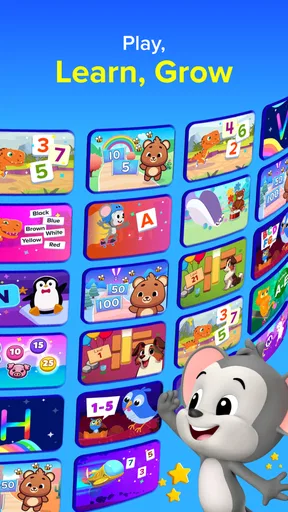
One of the first things I noticed was the sheer variety of activities. From puzzles to songs, and even interactive stories, there's never a dull moment. It's like having a classroom at your fingertips, but way more fun. My kiddo particularly loved the math games that use cute characters to teach basic arithmetic.
Easy Navigation
Let's be honest, apps with complicated interfaces can be a real headache, especially for young kids. But navigating through ABCmouse 2 is a breeze. The layout is intuitive and kid-friendly, making it easy for little fingers to explore and learn independently.
Progress Tracking
As a parent, it’s rewarding to see your child's progress, and this app makes it easy. With features that track learning milestones, you can see how your child is improving over time. It’s a great way to motivate them and to understand where they might need a little extra help.
Safe and Ad-Free
There's no need to worry about unwanted ads or inappropriate content here. The app is completely ad-free, ensuring a safe environment for your child to learn. That's a huge relief, especially when you're trying to keep their screen time productive and secure.
So, if you're ready to turn screen time into learning time, give ABCmouse 2: Kids Learning Game a try. It's a win-win for both kids and parents, making education a fun and interactive experience. Trust me, your little learner will thank you!
Privacy and Permissions
See what permissions an app requests and how it handles your data.
- Photos/Media/Files
- read the contents of your USB storage, modify or delete the contents of your USB storage
- Storage
- read the contents of your USB storage, modify or delete the contents of your USB storage
- Microphone
- record audio
- Other
- view network connections, pair with Bluetooth devices, access Bluetooth settings, full network access, change your audio settings, prevent device from sleeping
Verdict
Strengths of ABCmouse: Kids Learning Games
- Engaging and interactive learning activities.
- Wide range of subjects covered.
- Colorful and child-friendly interface.
- Progress tracking for parents.
- Suitable for various age groups.
Limitations of ABCmouse: Kids Learning Games
- Requires a subscription for full access.
- Can be overwhelming for younger kids.
- Limited offline access.
- Some activities may feel repetitive.
- In-app purchases can add up.
Other Releases by Age of Learning, Inc.
View All
ABCmouse Classic
Education3.7
Similar Picks in This Category
View All
Duolingo: Language Lessons
Duolingo4.7

Google Classroom
Google LLC2.8

Unacademy: Learn & Crack Exams
Unacademy3.2

Bible App for Kids
Life.Church4.4

Cake - Learn English & Korean
Cake Corp.4.7

Brainly: AI Homework Helper
Brainly4.5
Frequently Asked Questions
What age group is ABCmouse 2: Kids Learning Game designed for?
ABCmouse 2: Kids Learning Game is tailored for children aged 2 to 8 years old. The app offers age-appropriate educational activities that cover a range of subjects, including reading, math, art, and music, ensuring that learning is both engaging and suitable for various developmental stages.
Does ABCmouse 2 require an internet connection to function?
ABCmouse 2 requires an internet connection for initial setup and to download updates or additional content. However, once the activities are downloaded, many aspects of the app can be accessed offline, making it convenient for use during travel or in areas with unstable internet connectivity.
Are there any subscription fees for using ABCmouse 2?
ABCmouse 2 operates on a subscription model. Users can choose from monthly or yearly subscription plans, which provide full access to all learning activities and resources. The app may also offer a free trial period for new users to explore its features before committing to a subscription.
How does ABCmouse 2 ensure the safety and privacy of my child’s data?
ABCmouse 2 prioritizes the safety and privacy of its users, adhering to strict data protection protocols. The app collects minimal personal information necessary for account creation and ensures that all data is encrypted. Parents can manage and control their child's data through the app's settings.
Can multiple children use the same ABCmouse 2 account?
Yes, ABCmouse 2 allows multiple profiles under a single account, making it ideal for families with more than one child. Each child can have a personalized learning path tailored to their age and educational needs, ensuring a customized learning experience for every user.
